
B2C · Floral / Retail · 3D / Interactive · Concept prototype
Stem & Vessel
Pick a vase, pick stems, pick a style — the stems arrange themselves.
At a glance
Problem
Buying flowers online usually means choosing a photo of a finished bouquet. You don’t see how the stems will sit in a real vase — or in one you already have.
Solution
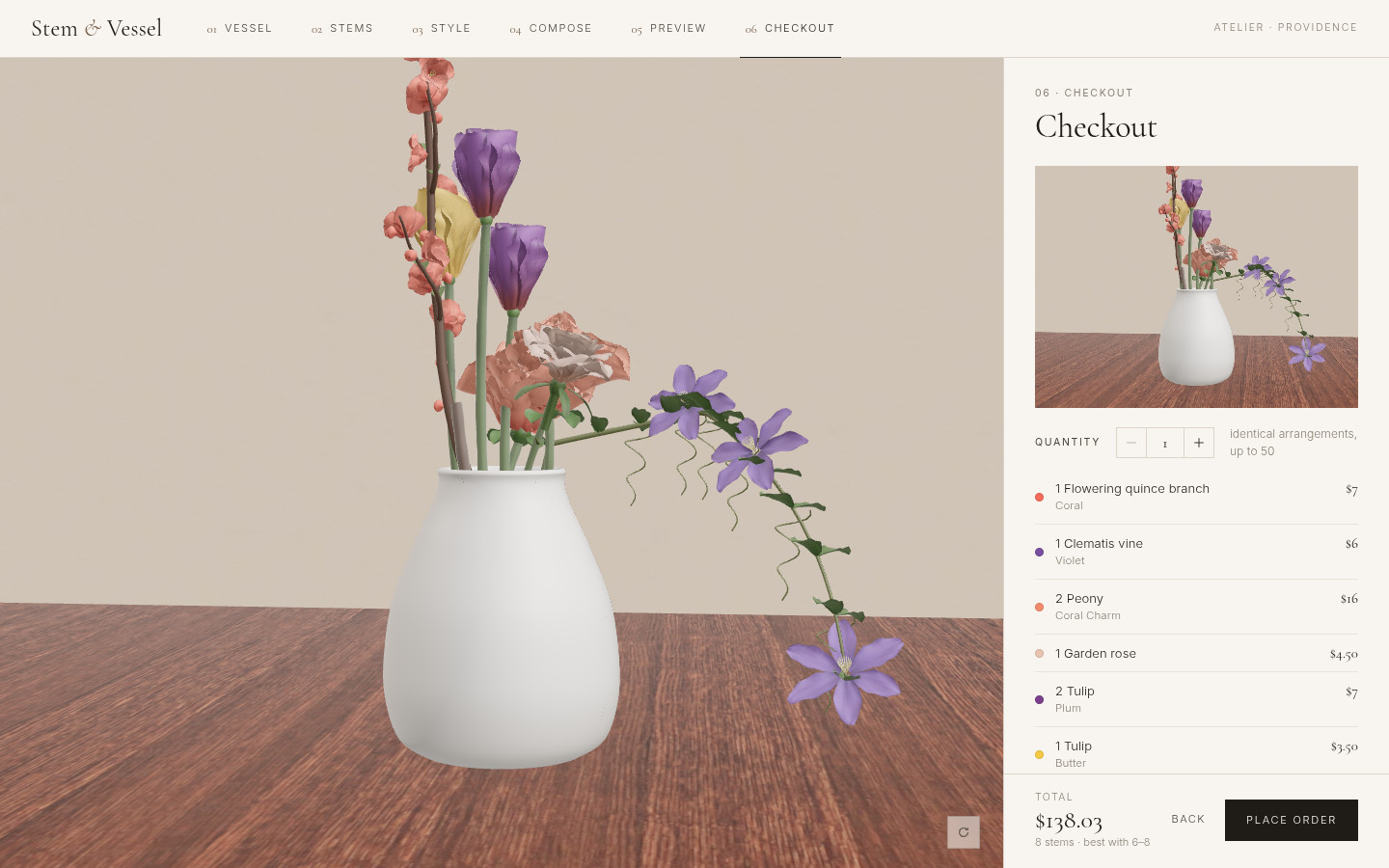
A 3D atelier in the browser. The customer picks a vessel, picks stems, and picks a style. The stems arrange themselves into that style. They can adjust any stem by hand, then go through a demo checkout.
- VesselFrom the studio, your own, or sourced
- StemsFlowers, greenery, and fillers
- StyleStems arrange themselves into the form
Impact
- Built end to end as a working concept prototype, live at stem-and-vessel.vercel.app
- 7 styles — the same stems re-place themselves when you switch
- 3 vessel paths — studio stock, your own vase, or sourced for you
01 / Problem
A catalog photo isn’t an arrangement
A product photo shows a finished bouquet. It doesn’t show how those stems sit in a particular vase, and it doesn’t help if the customer already has a vessel at home. I wanted a way to compose the arrangement in 3D, around a real opening and height, before checkout.
02 / Flow
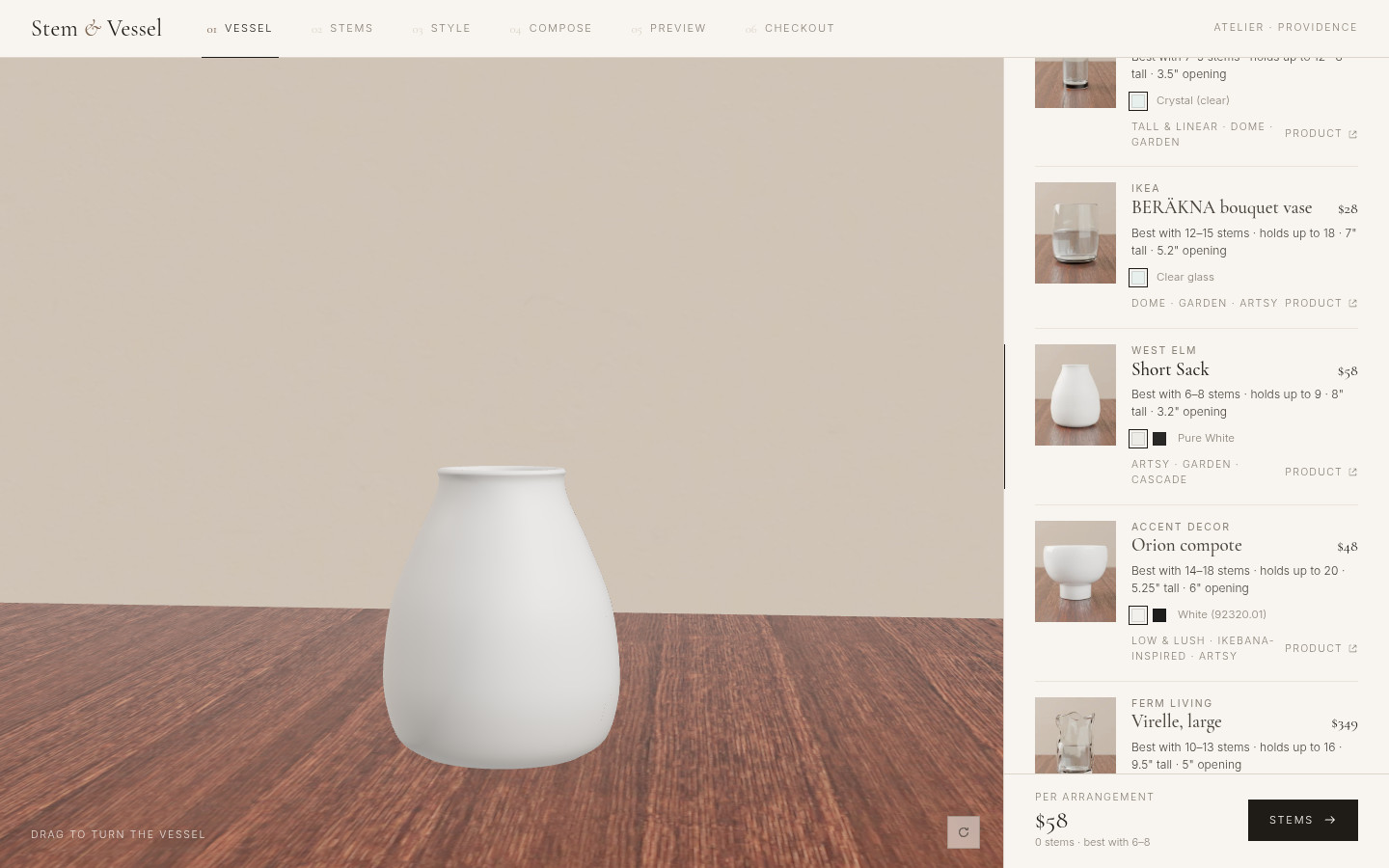
Vessel, stems, style, then compose
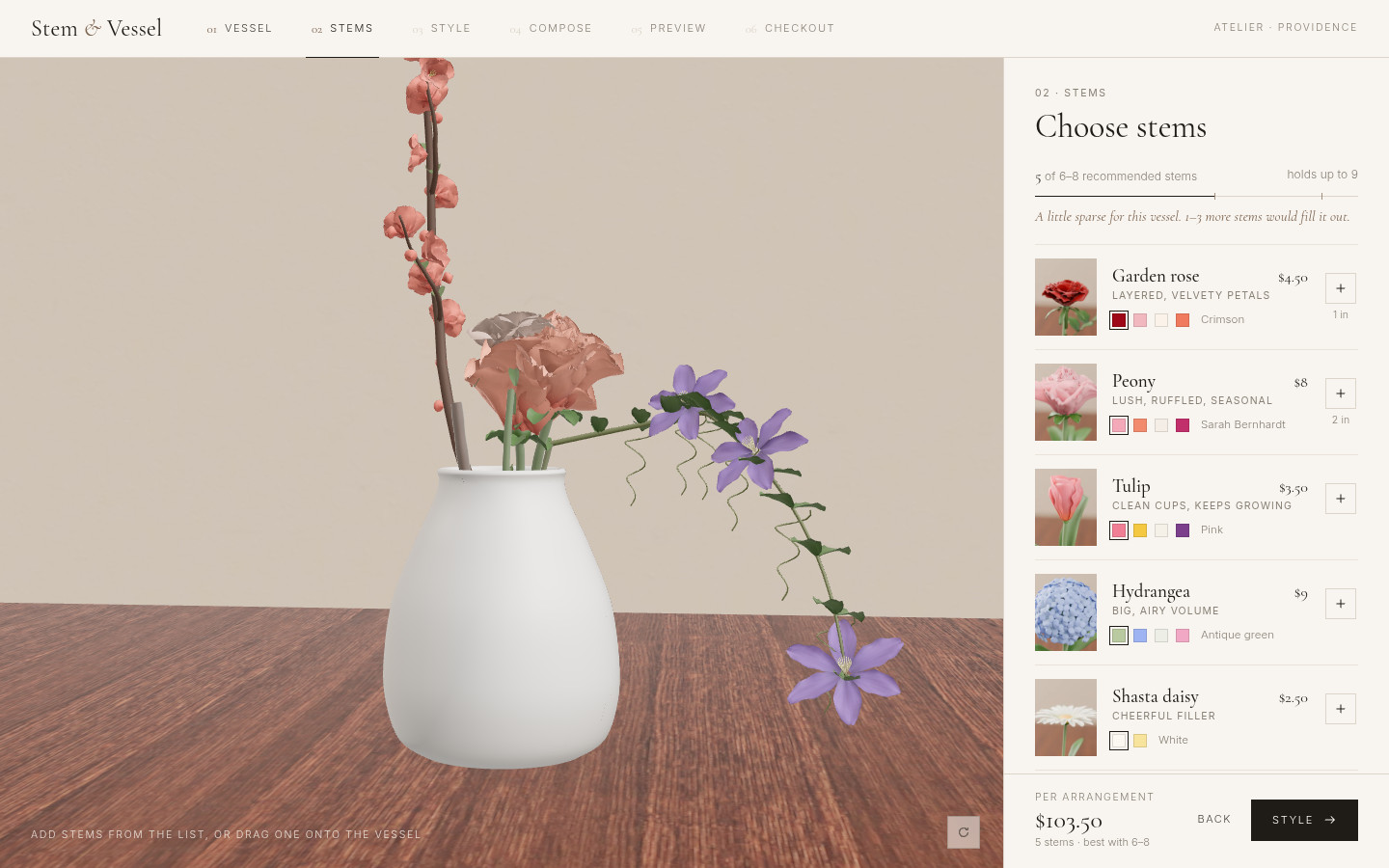
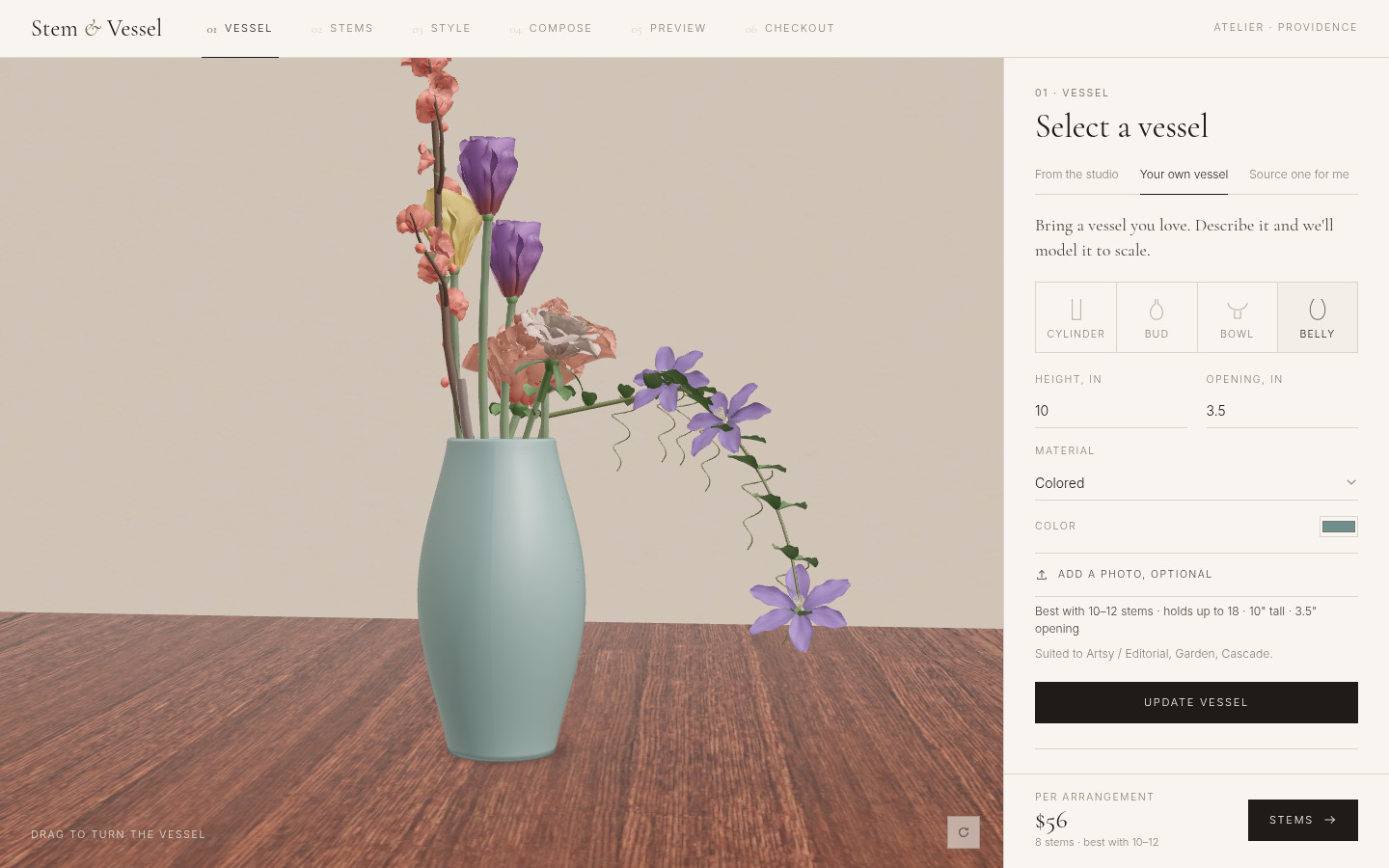
The flow is Vessel → Stems → Style → Compose → Preview → Checkout. Each vessel card shows the height, opening, and how many stems it holds. The stems step includes flowers, greenery, classic fillers, and artsy fillers. Fillers count as half a slot toward what the vessel can hold.
03 / Key decision
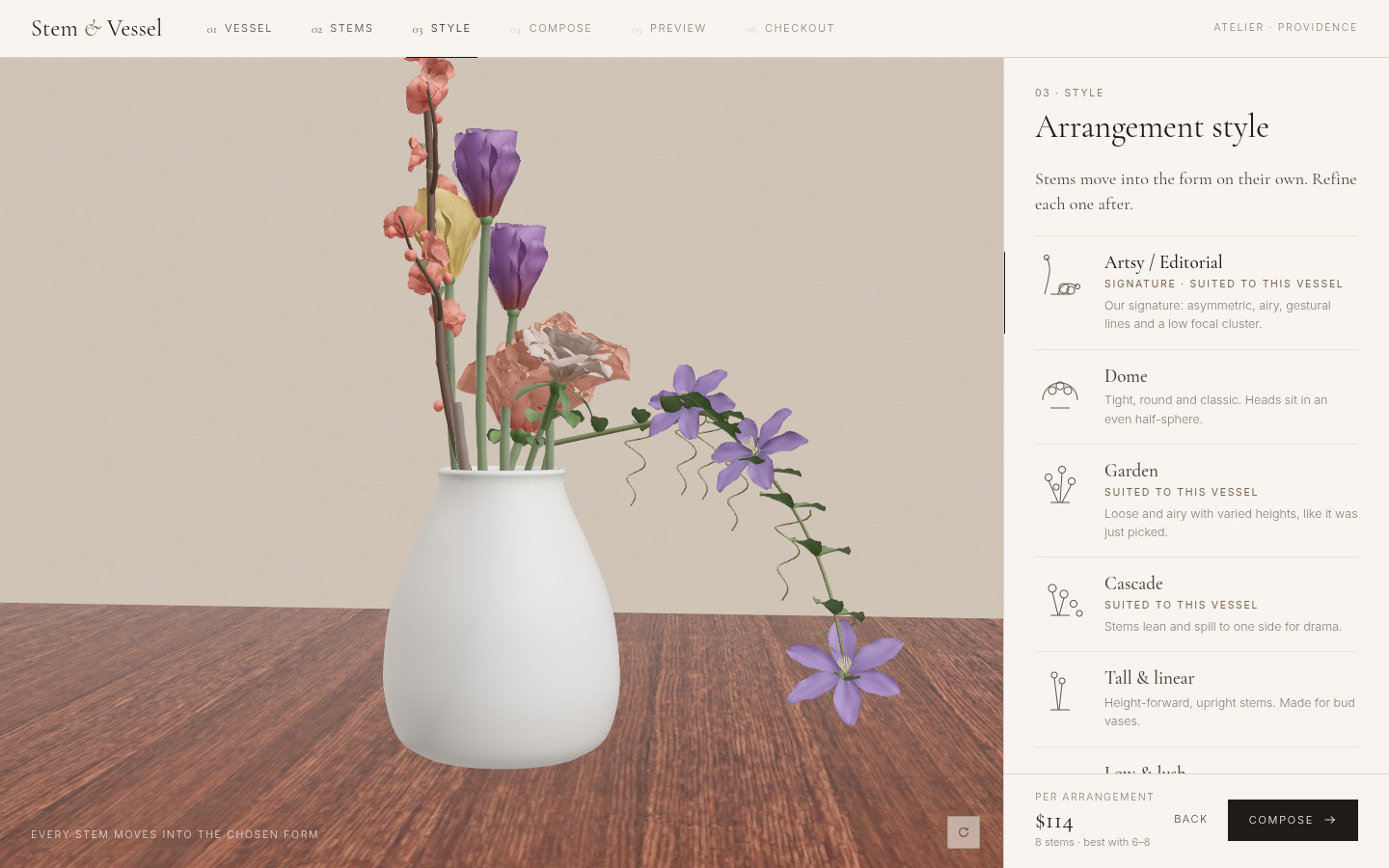
Pick a style, the stems arrange themselves
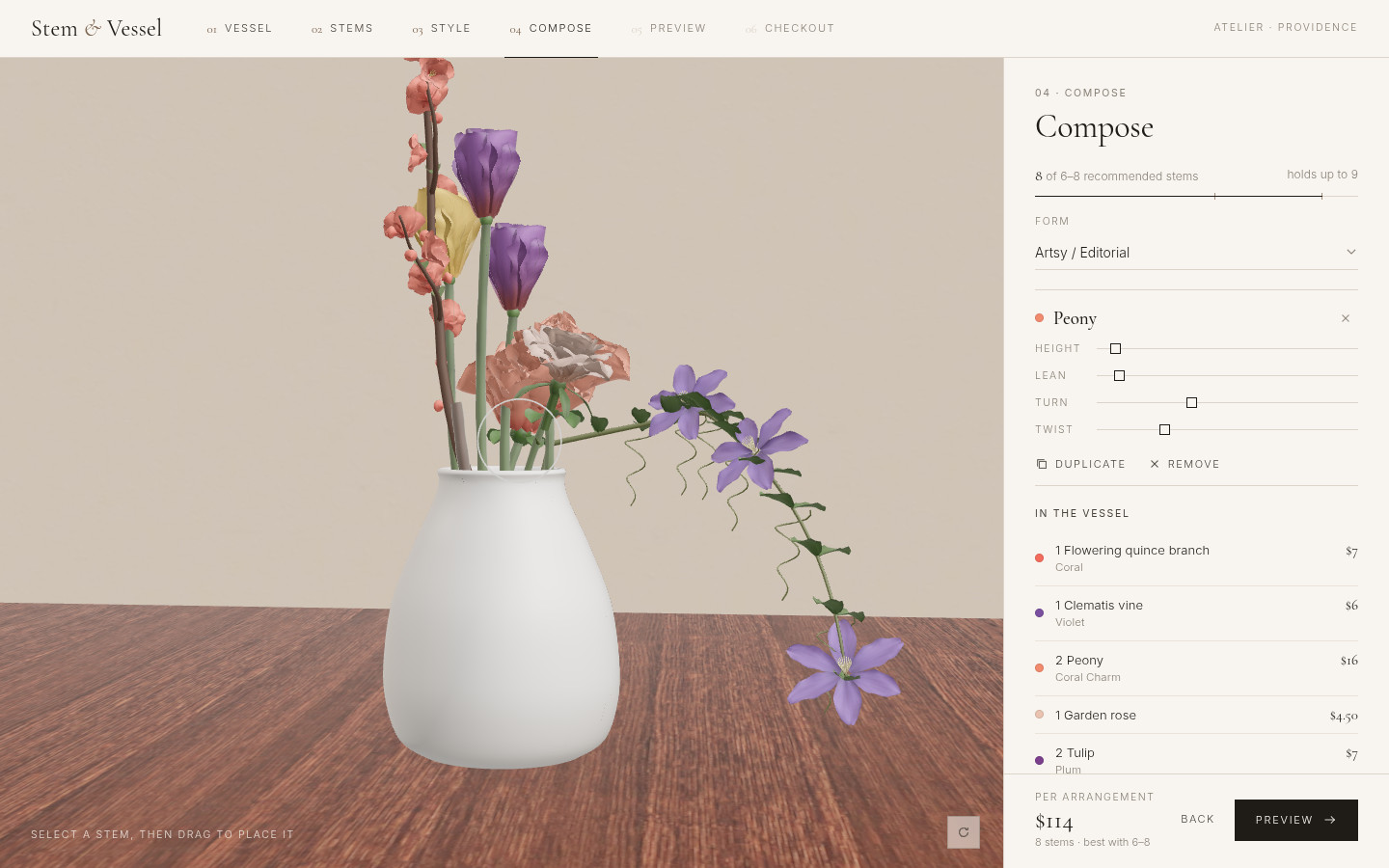
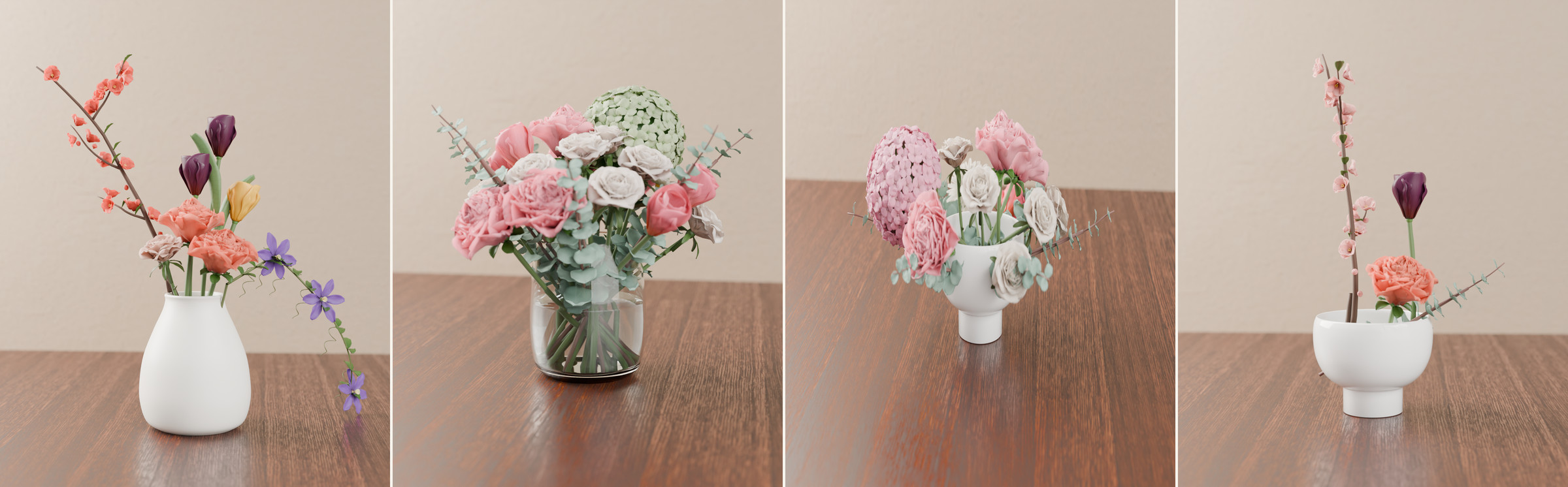
This was the decision the whole prototype turns on. There are seven forms: Artsy / Editorial (the signature), Dome, Garden, Cascade, Tall & linear, Low & lush, and Ikebana-inspired. Choosing a style re-places the stems you already picked. Nothing is added or taken away. After that, any stem can be adjusted by hand in 3D — height, lean, and position — and a later style change will re-place them again.
04 / Key decision
Three ways to get a vessel
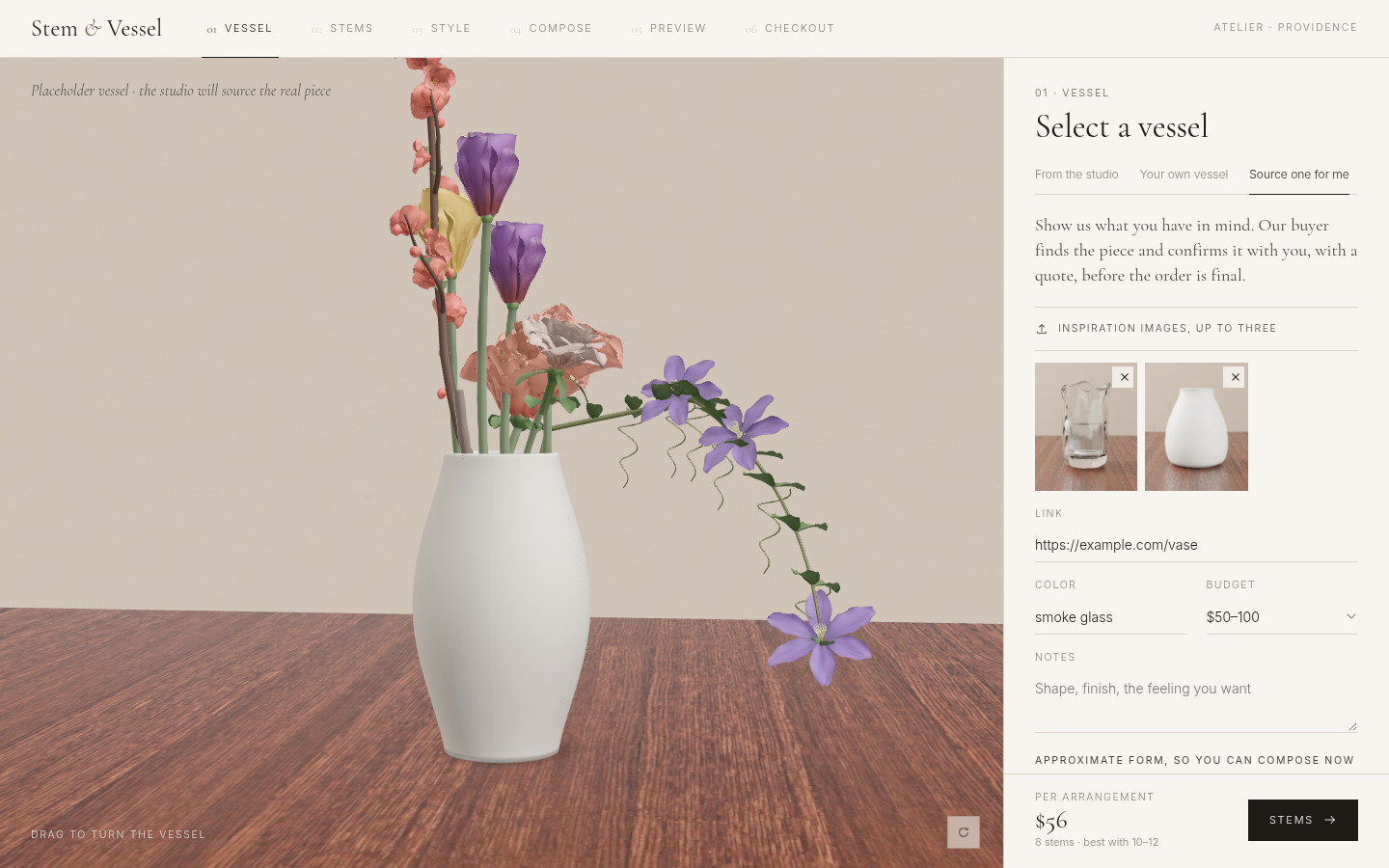
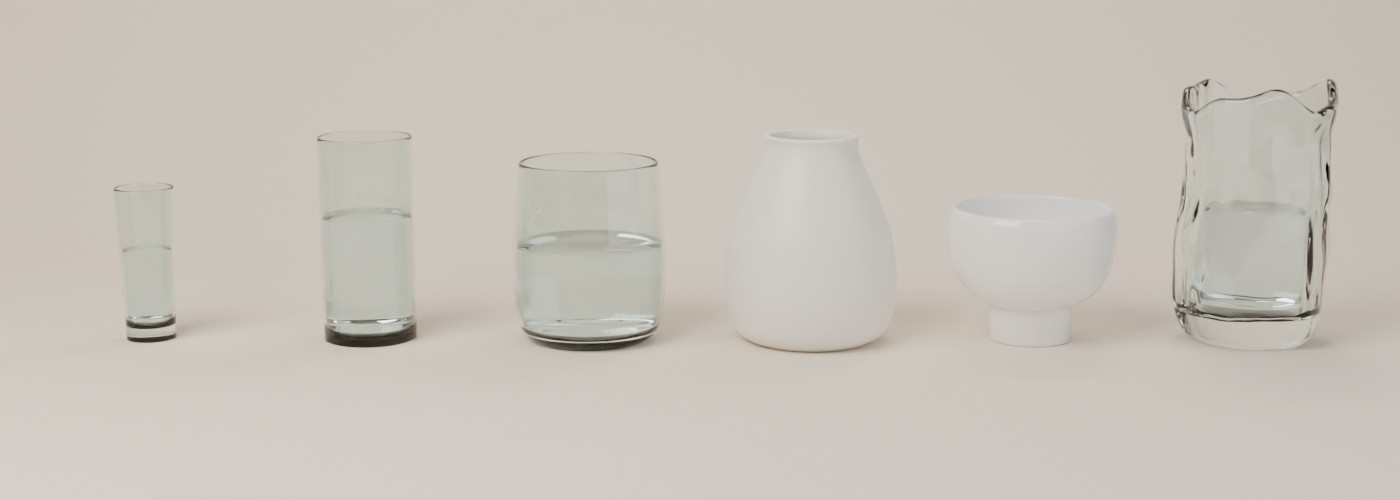
From the studio: six real vases, modeled to their published dimensions, with only the real colorways. Your own vessel: a shape, height, and opening in inches, a material, and an optional photo — the app builds a matching 3D vase in the browser, with no vase charge. Source one for me: inspiration images, a link, color, budget, and notes, plus a rough placeholder so you can still compose; checkout shows a quote to follow and a placeholder sourcing fee.
Mechanics default to the vessel: water for glass, a pin frog for bowls and compotes, foam for opaque vases. They can be changed, and they carry into the “See it for real” render.
05 / Craft
Modeled to real dimensions
The flowers, branches, fillers, and vases are procedural models I built in Blender, then brought into a Vite and three.js app. Garden rose, peony, tulip, hydrangea, Shasta daisy, silver-dollar eucalyptus, flowering quince, and clematis, plus fillers like baby’s breath, waxflower, and dried bunny tails. The six studio vases use their published height and opening, so stem counts and arrangement limits come from the actual mouth of the vessel, not a generic pot.

06 / Prototype
A working 3D atelier
The live prototype runs in the browser. You can walk the full flow, switch styles, adjust stems, and go through a demo checkout — including quantity, delivery, and (for a customer’s own vase) drop-off or on-site arranging. On-site and sourcing fees in the checkout are placeholders.
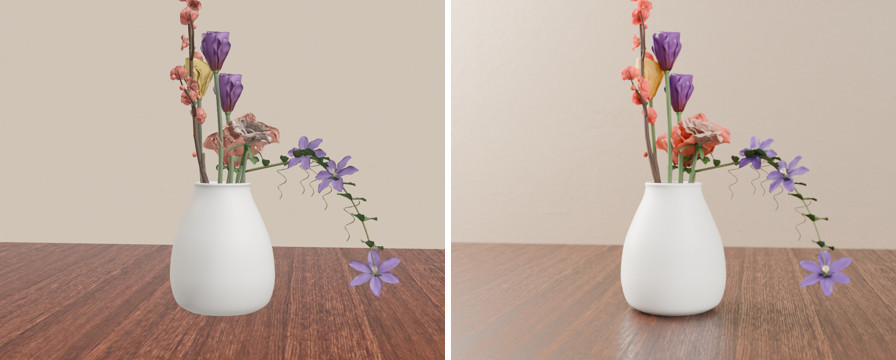
Preview can request a “See it for real” Cycles render of the exact scene. That renderer runs locally with Blender; it is not on the public Vercel site.
07 / Where it landed
A concept you can use
This is a concept prototype: designed and built so the interaction can be tried, not a shipped florist product. It is live at stem-and-vessel.vercel.app.
What I’d do next: I’d test the style-and-adjust step with people ordering flowers, and I’d put the “See it for real” renderer on a GPU worker so preview works on the public site, not only locally.
Next project
FeedIDMentorship where critique happens on the 3D model, in AR, during the call.